A2Z Chrome Extension Tools is a powerful browser extension designed to provide users with a collection of essential tools for productivity, web development, and everyday tasks.
-
 Chrome
 -
 Firefox
 -
 Edge
Edge
Free for Chrome, Edge and Firefox - Opera and Safari coming soon
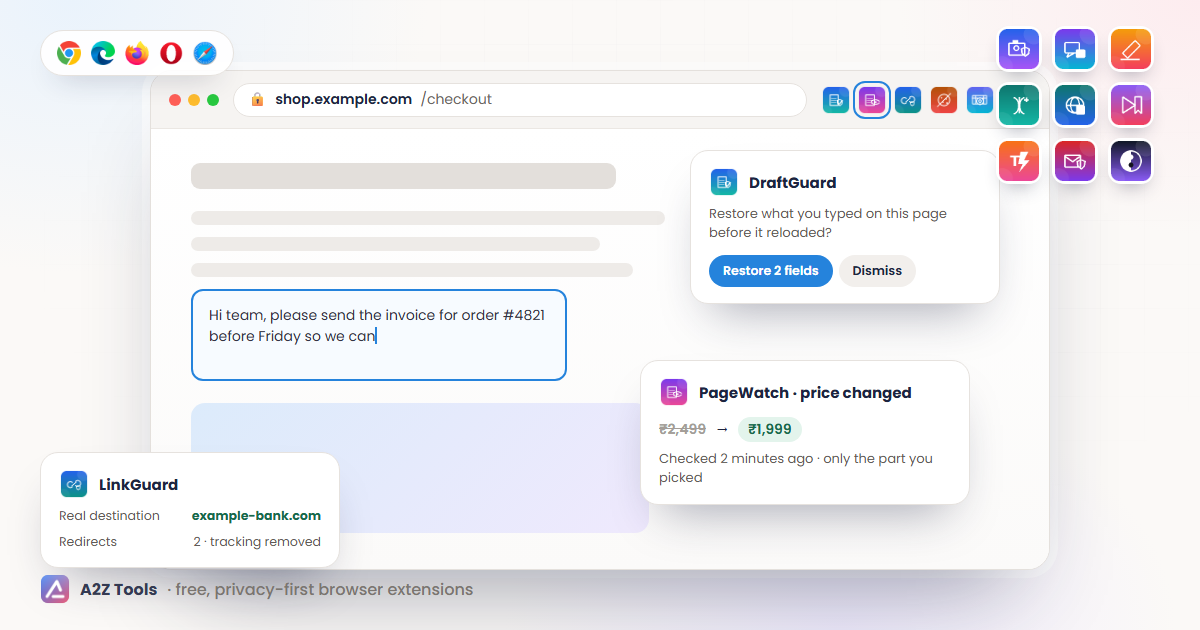
Privacy-first extensions for the moments you are browsing: rescue lost form drafts and tabs, watch pages for changes, tidy downloads, capture and redact screenshots, and find any tool in one keystroke.
 Chrome
Firefox
Edge
Chrome
Firefox
Edge
21 extensions, each free to install. Open one for screenshots, features and install links.
A2Z Chrome Extension Tools is a powerful browser extension designed to provide users with a collection of essential tools for productivity, web development, and everyday tasks.
Chrome Firefox EdgeEffortlessly invert colors on any website for a high-contrast dark mode. Reduce eye strain and enhance readability with one click. Works on Chrome, Edge, and Firefox.
Chrome Firefox EdgeEffortlessly capture and organize screenshots in Firefox by content, date, or website. Ideal for professionals and productivity enthusiasts!
Chrome Firefox EdgeNever lose what you typed into a website again. DraftGuard saves what you type into web forms on your device and restores it after a refresh, crash, timeout or closed tab.
Chrome Firefox EdgeOwn and organize your AI conversations. Export your AI chat conversations to Markdown, HTML or JSON and keep a searchable library on your own device.
Chrome Firefox EdgeDetects and blocks tracking pixels in Gmail, Outlook and Yahoo Mail on the web, and cleans tracking from links you click.
EdgePreview a link's real destination, spot look-alike domains and shorteners, and copy a clean URL without tracking parameters.
EdgeAutomatically chooses "reject all" or "necessary only" on cookie banners that offer it, with a log of every choice.
EdgeRe-enable text selection, copy, paste and the right-click menu on sites that block them, and copy clean text or Markdown.
EdgeSearch your browsing history by words, site, date and time, see a timeline, and find the pages you used around the same time.
EdgeFind duplicate, dead, redirected and untitled bookmarks and empty folders. Back up first, review every change, then apply.
EdgeOpen any article in a clean reading view with font, width, spacing, sepia and dark themes, a table of contents and read-aloud.
EdgeHighlight text on any page, attach notes, and see your highlights again on every visit. Search and export your notebook.
EdgeFind every image on a page, including srcset, lazy-loaded and CSS backgrounds, pick the largest versions and save them neatly.
Firefox EdgeSpeed control, keyboard shortcuts, timestamp bookmarks and notes, resume and picture-in-picture for HTML5 video on any site.
Firefox EdgeSave complete snapshots of web pages with notes and tags into a searchable library on your device, and compare versions.
Firefox EdgeCapture, annotate and OCR screenshots on your device, and redact emails, phone numbers, keys and card numbers before you share.
Firefox EdgeHide feeds, short videos and recommendations on popular video and social sites, site by site, with a focus schedule.
Firefox EdgeType a short trigger like /addr or /thanks and expand it into your saved text anywhere you write on the web.
Firefox EdgeAutomatic session snapshots, one-click workspace restore, duplicate-tab cleanup and search across every open and saved tab.
Firefox EdgeAutomatically sorts and renames your downloads into tidy folders by file type, website and date using rules you control.
Firefox Edge2 privacy-first extensions built for Chrome, Edge and Firefox, with Opera and Safari versions on the way. Their store listings are coming; each page explains what the extension does, the permissions it asks for and why.
Coming soon
Tell me when this part of a webpage changes.
Coming soon
Unlimited screen recording that stays on your device.
Install and start straight away. No account is needed to use the extensions listed here.
Tools live in your toolbar, so a task takes one click instead of a new tab and a search.
Every extension installs from the Chrome Web Store, Microsoft Edge Add-ons or Firefox Add-ons, and Opera add-ons and Safari are next. No unofficial downloads.
The same people behind hundreds of free online utilities at a2z.tools.
Open any extension above to see what it does, its screenshots and the browsers it supports.
Select Add to Chrome, Add to Edge or Add to Firefox to open the official store page. Opera and Safari buttons switch on as those stores approve each extension.
Confirm with Add extension, then pin it from the puzzle-piece menu so it stays one click away.
Discover our collection of browser extensions available for Chrome, Firefox, Edge, and Safari. Improve productivity, security, and usability with our feature-packed tools.
At A2Z.Tools, we are committed to providing users with high-quality, easy-to-use browser extensions that enhance the way they interact with the web. Whether you're looking for tools to boost productivity, improve online security, or streamline your everyday browsing experience, we've got something for you. Our extensions are designed with user-friendliness in mind, ensuring that anyone can install and use them without technical expertise.
Our collection includes a variety of extensions that cater to different needs. From ad blockers to privacy enhancers, from screenshot organizers to smart search tools, we have developed a range of solutions to make your browsing smoother and more efficient. Each extension undergoes rigorous testing to ensure reliability, security, and performance.
Below, you will find our growing list of extensions, complete with descriptions and direct links to install them on your preferred browser. Stay tuned as we continue to expand our collection with innovative new tools!

This page introduces the A2Z Tools browser extension, letting you access popular tools quickly from your browser toolbar without visiting the website directly each time.
Last reviewed: