

Tab Rescue
Coming soon
Never lose your browsing workspace.
- Chrome
- Edge
- Firefox

Browser extension by A2Z Tools
Stop typing the same things repeatedly.
Type a short trigger like /addr or /thanks and expand it into your saved text anywhere you write on the web.
 Chrome Web StoreComing soon for Chrome
 Microsoft Edge Add-onsComing soon for Edge
 Firefox Add-onsComing soon for Firefox
We are preparing the store listings. The buttons switch on as soon as each store approves the extension; there are no unofficial downloads.
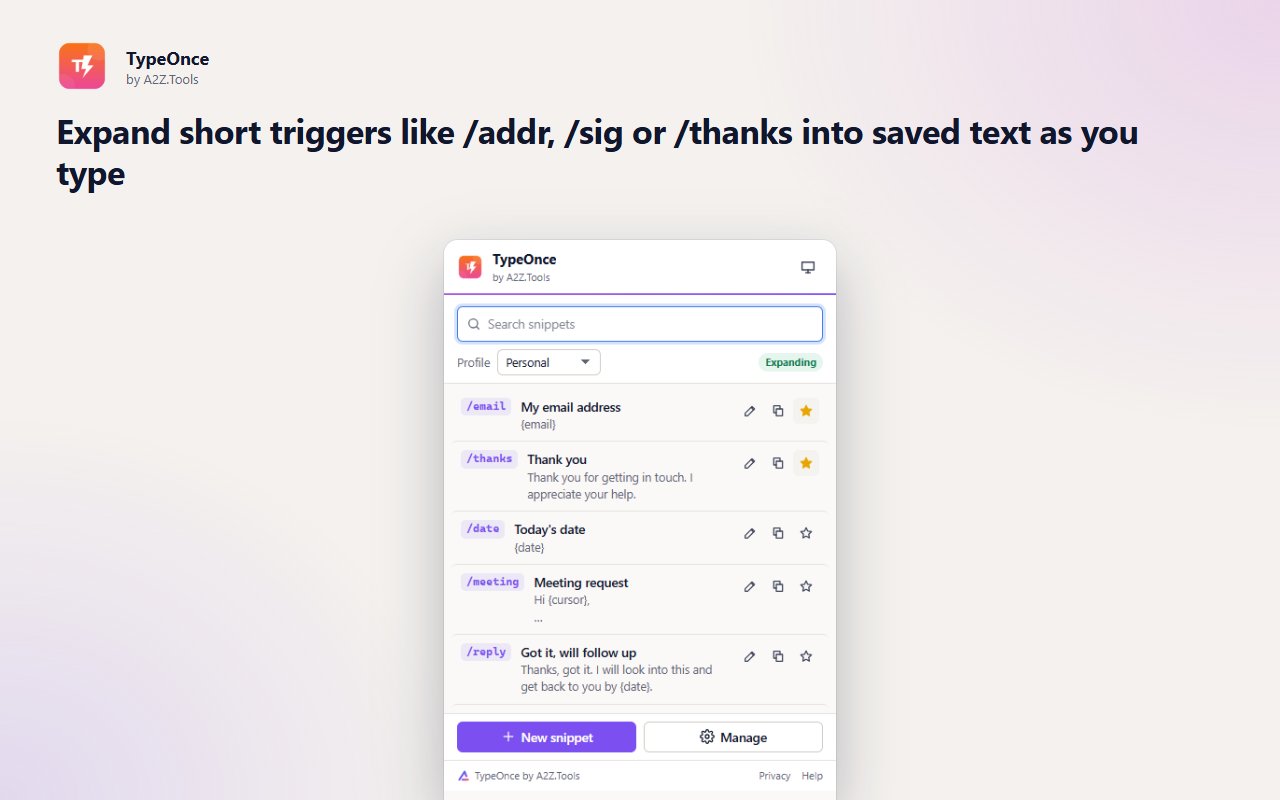
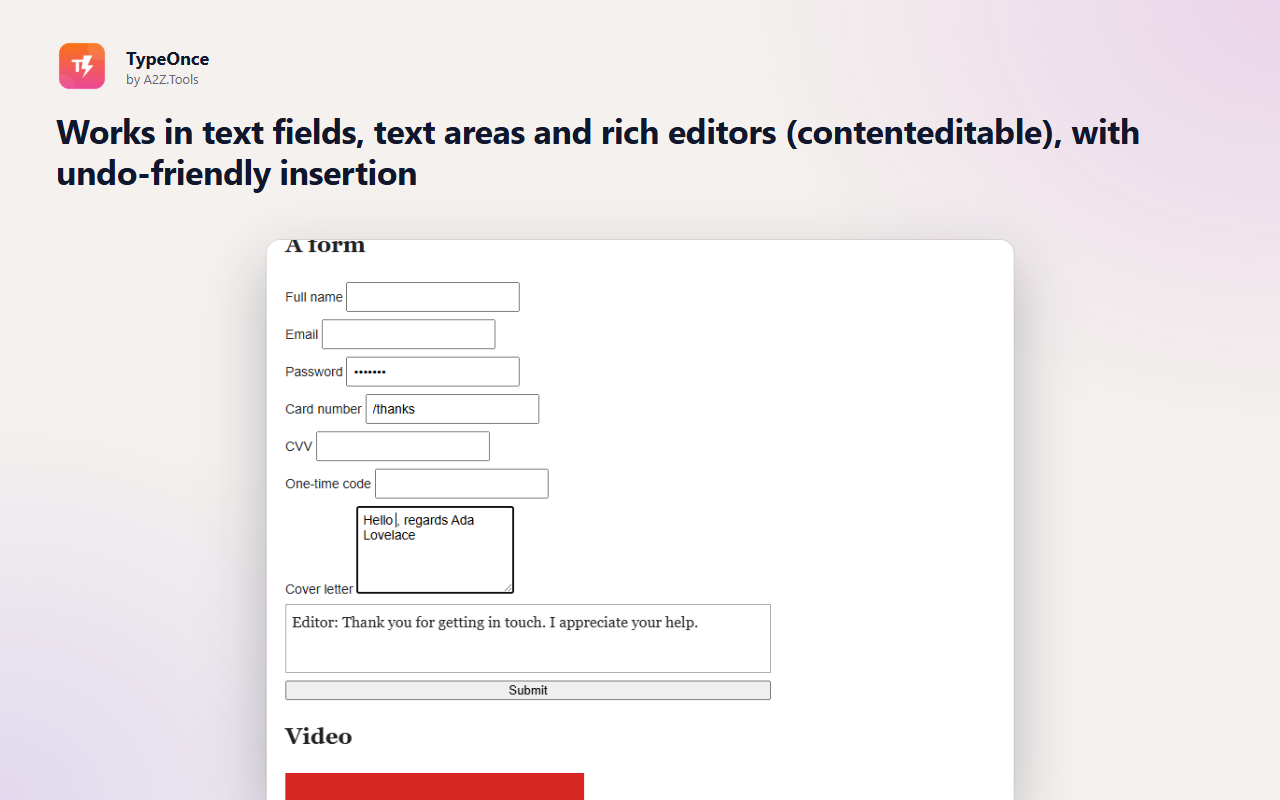
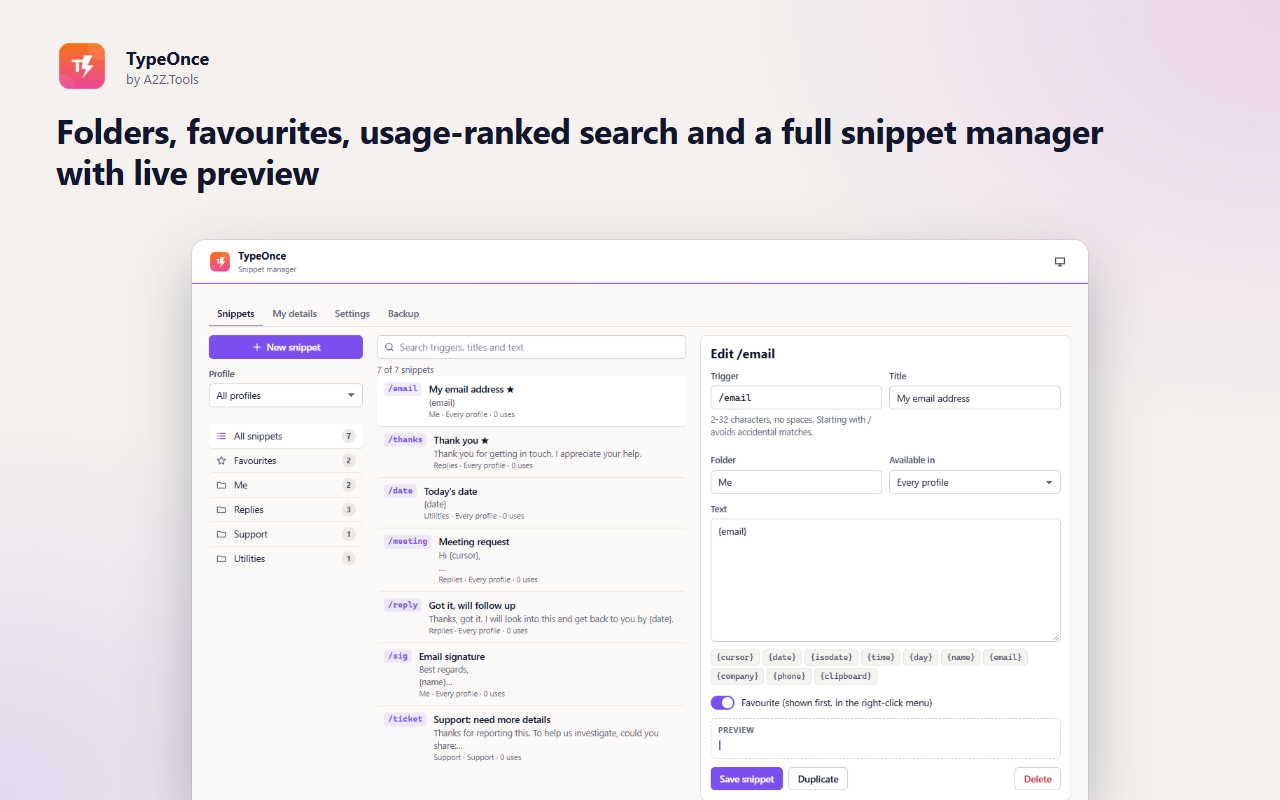
Addresses, email sign-offs, support replies, meeting requests, code you paste every day - most of what we type online, we have typed before. TypeOnce turns each of them into a short trigger: type /addr and your address appears, ready to send.
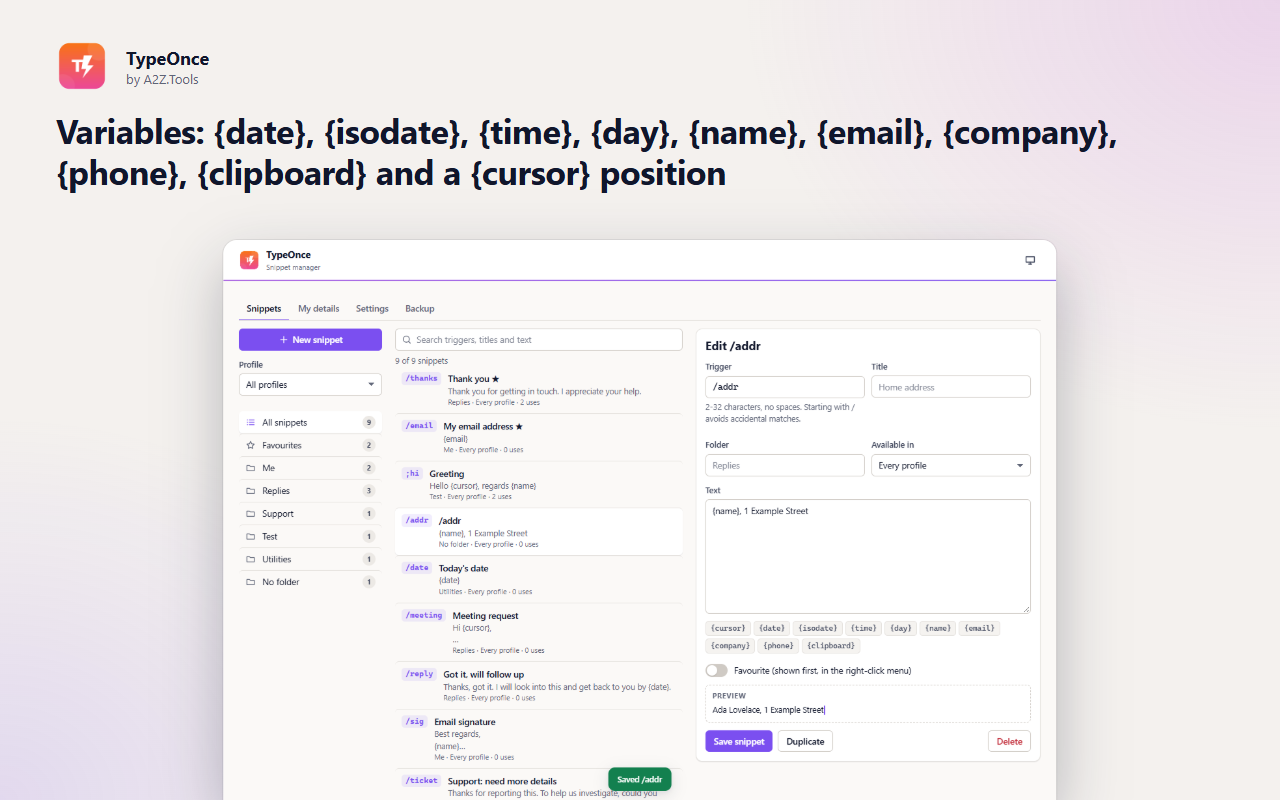
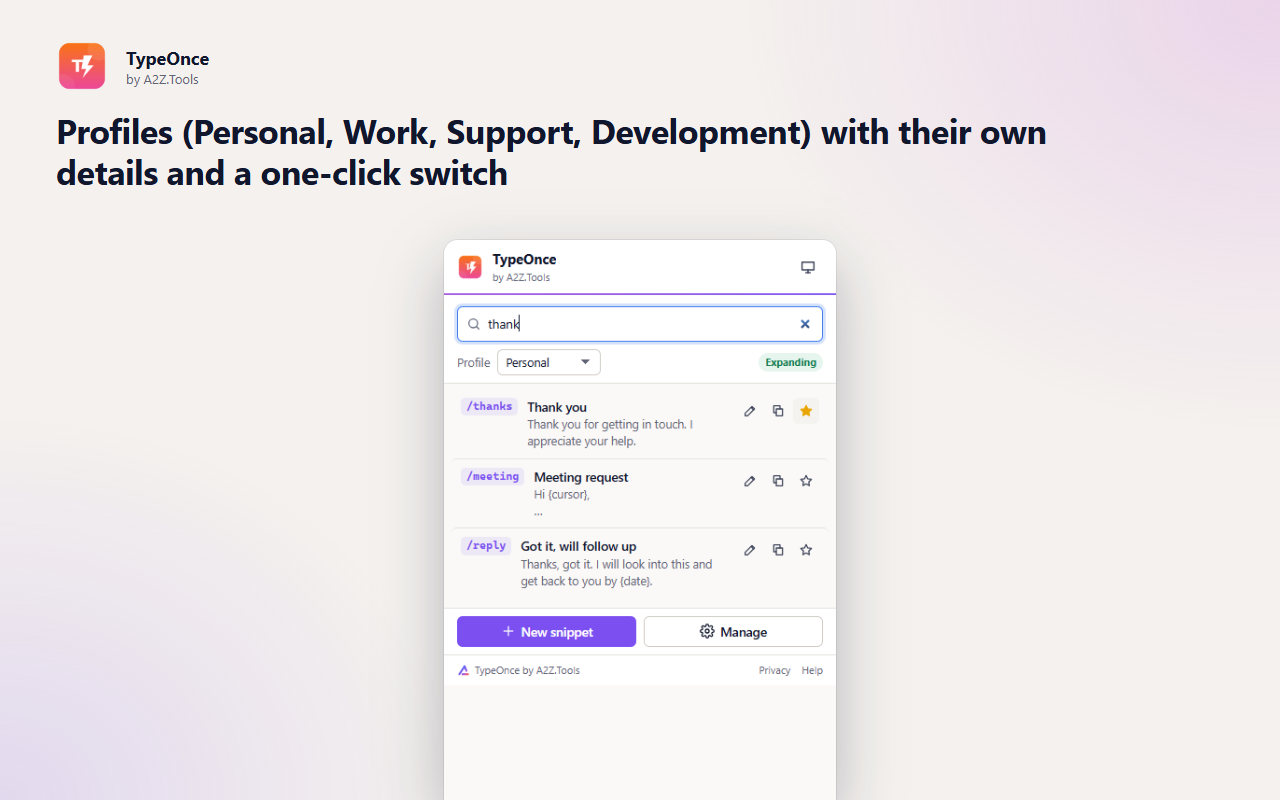
Snippets can include today's date, your name or company, the clipboard and a cursor position, so one snippet fits many situations. Profiles keep work, support and personal snippets apart, and you switch between them in one click.
Everything stays in your browser. TypeOnce looks only at the characters just before your cursor to spot a trigger, never keeps what you type, and never runs in password or payment fields.
Shortcuts can be changed in your browser's extension shortcut settings.
Your snippets and details stay in this browser. TypeOnce only looks at the few characters before your cursor to spot a trigger; it never records what you type and never runs in password or payment fields. No account, no analytics, no network requests.
The last few characters before the cursor in the text box you are typing in (to detect a trigger), and the clipboard only when a snippet containing {clipboard} expands and you have allowed clipboard access.
storage.local in this browser profile: your snippets, folders, profiles, the name/email/company/phone you enter for variables, and settings.
None. TypeOnce never makes a network request.
Until you delete a snippet, import a replacement backup or remove the extension.
No account, no analytics, no advertising, no selling or sharing of data, and no remotely hosted code.
Keeps your snippets, profiles and your own name/email/company details (for {name} etc.) in this browser's local extension storage.
Adds 'TypeOnce: insert snippet' to the right-click menu of text boxes.
Lets the toolbar popup insert a snippet into the page you are on when you click Insert.
Chrome and Edge only: opens a hidden helper page to read the clipboard for the {clipboard} variable, and only if you allowed clipboard access.
Optional, asked only when you choose to use the {clipboard} variable. The clipboard is read at the moment such a snippet expands and is never stored.
Runs inside web pages on: http://*/* and https://*/*.
| Browser | Minimum version | Store |
|---|---|---|
| Google Chrome |
120 | Coming soon |
| Microsoft Edge |
120 | Coming soon |
| Mozilla Firefox |
140.0 | Coming soon |
No. It checks only the few characters before your cursor for one of your triggers and keeps nothing. It never runs in password, payment or one-time-code fields.
In your browser's local extension storage on this device. Use Export backup to copy them to another browser or computer.
{date}, {isodate}, {time}, {day}, {name}, {email}, {company}, {phone}, {clipboard} and {cursor}. Write {{ or }} for literal braces.
When one trigger is the start of another (for example /add and /addr), TypeOnce waits for Space, Tab or Enter so it can tell which one you meant.
Yes, in editors built on standard contenteditable elements, including Gmail and Outlook on the web. Canvas-based editors such as Google Docs do not allow it; use Copy from the popup there.
Coming soon
Never lose your browsing workspace.
Coming soon
Use the useful parts of websites without the addictive feeds.
Coming soon
Keep Downloads organized automatically.
Questions, bugs or ideas for TypeOnce? Contact the A2Z Tools team.
