
Free
Bookmarks is free with your A2Z account.
₹0free forever
- Up to 5,000 links
- Browser import, up to 1,000 links at a time
- Private to your account, no ads in the portal
Paste a link and press Enter. Sort it into folders, star your favourites, add a note about why you kept it - and import years of browser bookmarks in one go.
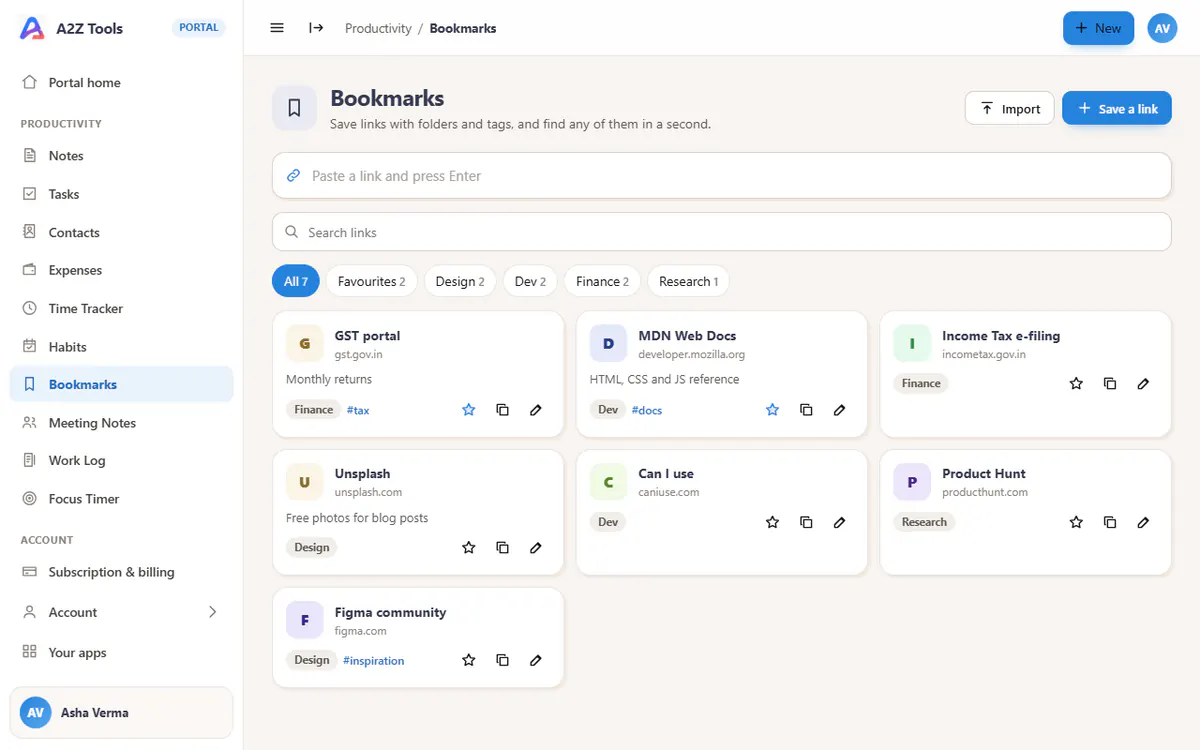
Paste any address and press Enter. Duplicates are caught for you.
Folder chips with counts and a Favourites view for the links you use daily.
Upload the bookmarks file from Chrome, Edge, Firefox or Safari - folders come too.
Remember why you saved something, and tag across folders.
Titles, addresses, notes and tags in one search.
No favicon service is called, so nobody learns which sites you saved.
Sign in or create your free account
Paste links or import your browser bookmarks
Find any of them in a second, on any device
Sources by topic, with a note on why each matters.
Competitor pages, inspiration and tools in folders.
Docs, snippets and dashboards one search away.
Free today, with these limits. Paid plans show a price only once they launch.
Bookmarks is free with your A2Z account.
More room and extras for Bookmarks.
Planned - details may change before launch.
Sign in so we know where to email you.
Every Pro app in one subscription.
Planned - details may change before launch.
Sign in so we know where to email you.
In Chrome open Bookmarks > Bookmark manager > the three dots > Export bookmarks. Upload that file with Import in Bookmarks.
Not for Bookmarks yet - paste the address into the portal, or import a whole file at once.
Only you. Everything is tied to your A2Z account and every request is checked against it on the server. Nothing is shared, sold or used for ads - the portal has no ads at all.
Up to 5,000 per account; an import adds up to 1,000 at a time.
